
Use the Universal Connector for AVEVA CONNECT Data Services
One service that has seen increased usage in recent weeks is AVEVA CONNECT Data Services. While a default module is available for publishing data (the AVEVA CONNECT Data Service Publisher), there are currently no modules for reading data.
Fortunately, the Universal Connector makes it straightforward to create a module that fills this gap. In the example below, we demonstrate how to build a Universal Connector–based module that retrieves the latest values from a specific datastream. This same approach can also be applied to other API endpoints.
Although the Universal Connector is covered in detail in the Advanced Training, this section focuses only on the components relevant to this use case.
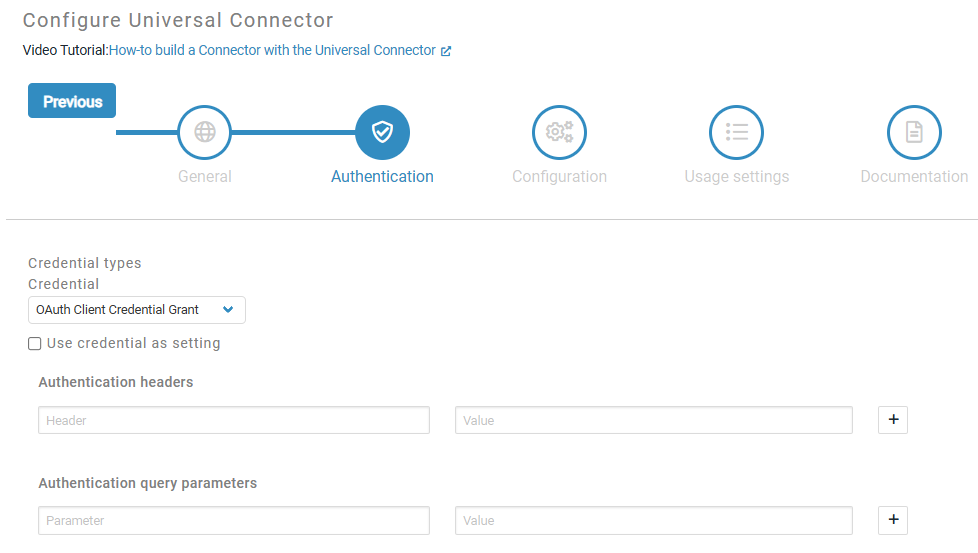
Set Credential Type to OAuth Client Credential Grant
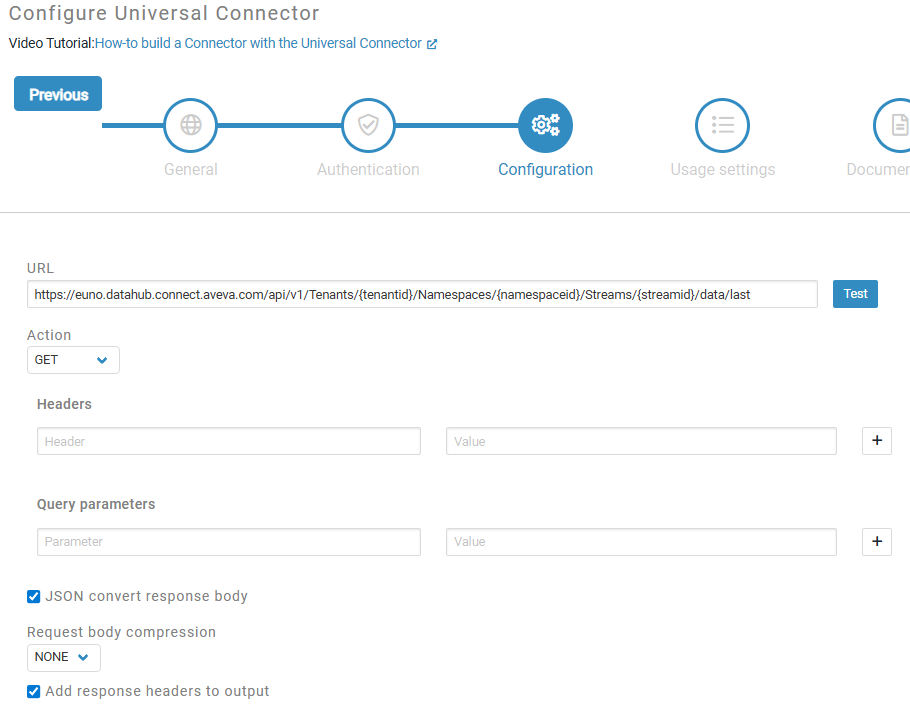
Set the URL. In this case we want to create a module that allows the users to specify the teanentid, namespaceid and streamid. To do that, we put the relevant parts of the URL in curly brackets.
https://euno.datahub.connect.aveva.com/api/v1/Tenants/{tenantid}/Namespaces/{namespaceid}/Streams/{streamid}/data/last
Specify how the settings should be applied. User setting if set will allow either the user to configure the settings. If they are not set, the module will fetch them from the incoming message.
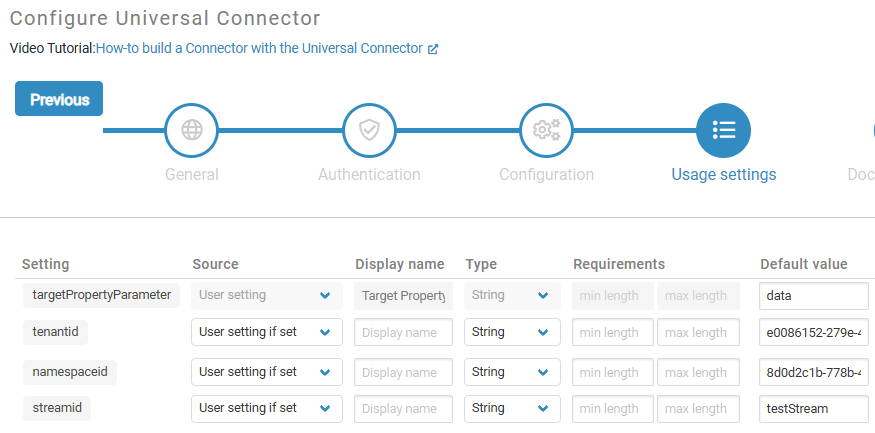
By the end of the wizard, the module should look like this. If you are happy you can now publish the module to your library.

Set up OAuth Client Credentials as shown in the screenshot below.
(Make sure you adjust the URL to your region).
Authorization URL: https://euno.datahub.connect.aveva.com/identity/connect/token
Token Renewal URL: https://euno.datahub.connect.aveva.com/identity/connect/token
Client Id: be982cf6-24a4-493f-af69-ccc....
Client Secret: 3j9Cb+tr/p7TqFl//iJRabcdef.....

You can now drag&drop the module from your module library and use it as any other module.
