
Databricks Publisher Module
As more data pipelines rely on cloud-based platforms, there is an increasing need to reliably move data into Delta tables in Databricks. The Databricks Publisher module enables this by executing a COPY INTO command on a Databricks cluster, transferring files from a staging area such as AWS S3 or Azure Data Lake Gen2 directly into a target table.
The module supports both explicit filenames and pattern-based ingestion, allowing flexible batch handling. With configurable format and copy options, support for common file types such as CSV and Parquet, and integration with staging writers like the AWS S3 Bucket Writer and Azure DataLake Writer, the module provides a structured and automated way to publish staged data into Databricks.
The following FlowApps are available in the Crosser Control Center to help you get started:
1. OPC UA to Databricks with CSV and Azure Data Lake - This example flow shows how streaming data from an OPC UA server to a Delta table in Databricks. CSV is used as the file format transferred to Databricks.
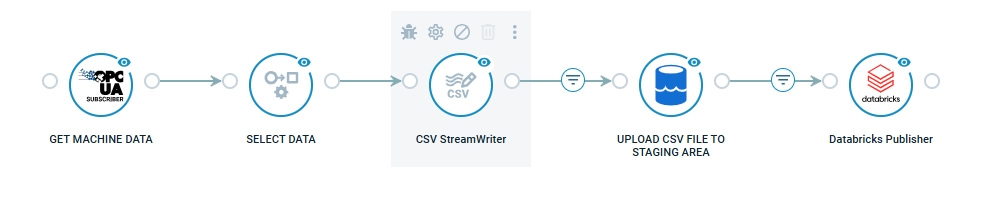
2. OPC UA to Databricks with Parquet and AWS - This flow shows how streaming data from an OPC UA server to a Delta table in Databricks. Parquet is used as the file format transferred to Databricks.

Detailed documentation, with examples, available in the module documentation.
