
Monitor web sites with the Data Trigger module
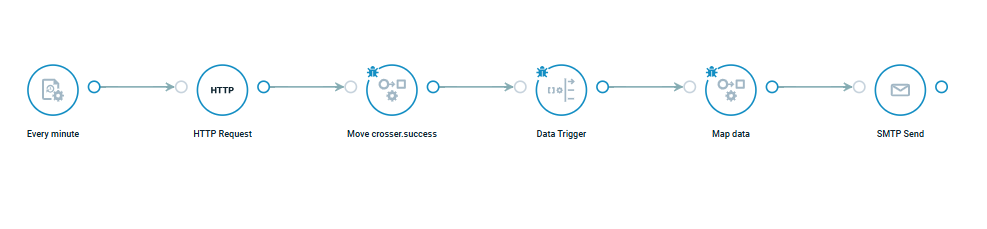
Did you know that we have a FlowApp that can be used to monitor any website or HTTP endpoint directly from a Crosser flow? The FlowApp uses the Data Trigger module together with the Interval and HTTP Request modules to create a simple monitoring setup that checks a URL at regular intervals and automatically reacts if the site becomes unavailable.
FlowApp example: Monitor web sites with the Data Trigger module.
Here you can find detailed documentation about the Data Trigger module. It highlights the flexibility and power of the Data Trigger module, showing how it can monitor multiple data sources and automatically trigger actions based on incoming data.
More info about the FlowApps here.
