
FlowApp - Change Data Capture using Timestamp
Querying databases for newly added records is a common requirement in data integration and industrial automation. By periodically checking for updates, systems can process fresh data as soon as it becomes available. We have a FlowApp which simplifies this process by combining database modules with built-in state management, making it easy to track and retrieve only the latest entries.
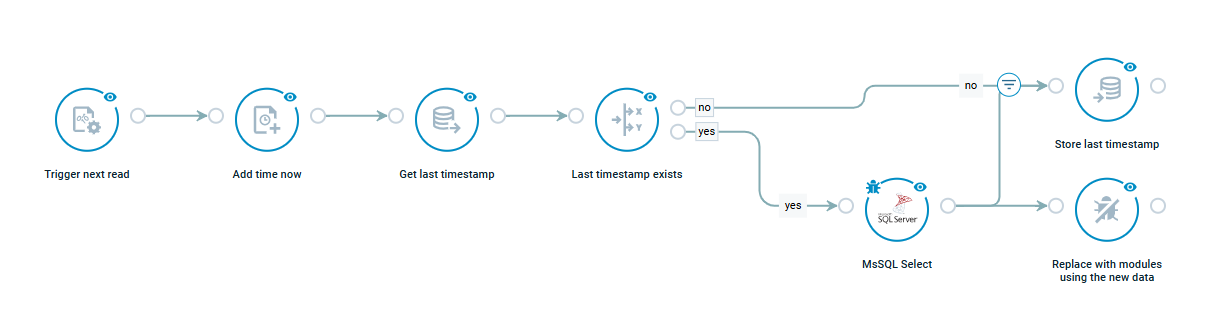
The FlowApp demonstrates how to detect new records added to an MS SQL database. The flow periodically queries the database and filters results based on a timestamp. The last processed timestamp is stored using the Key Value modules, ensuring that each query only retrieves records added since the previous request. The resulting dataset can then be processed further in the flow, enabling integrations such as analytics, alerts, or data transfers to other systems.
This example illustrates a common pattern for incremental data retrieval from databases. By keeping track of the last processed value and using scheduled queries, this flow can efficiently detect and process newly added records without repeatedly reading the entire dataset.
